SELECT YOUR LANGUAGE
Currently, only English and German are available.

How to Access Your CFX Assets After Purchase
Why is RoyalCustom a little different from other asset stores?
We intentionally chose not to sell our products through Tebex.
The main reason is the significant platform fees, which take a considerable share of every sale.
We prefer to remain independent and invest that money back into developing our projects and providing better support for our community instead of paying a large percentage to third-party platforms.
In the past, all CFX assets were manually transferred to customers by our team. Due to recent CFX security policy changes, assets can now only be transferred within 28 days of purchase. As a result, we needed to redesign our entire delivery process.
With our new verification system, you can now claim your CFX assets yourself 24/7. Once your purchase has been successfully verified, your assets are delivered instantly without waiting for a staff member to become available.
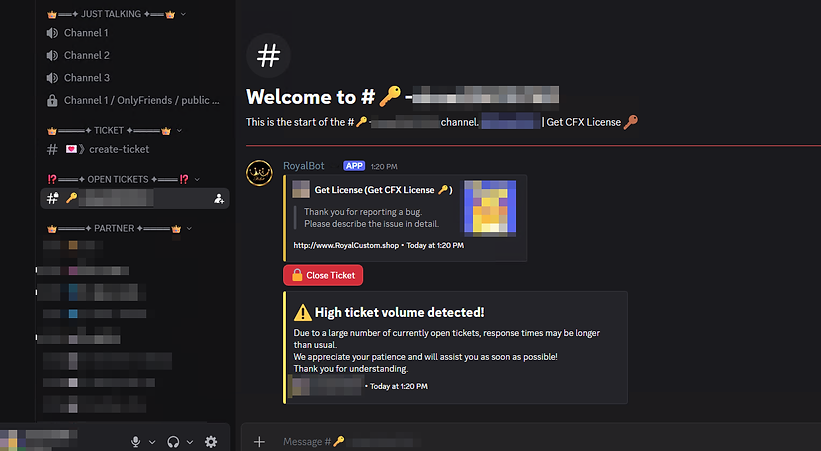
Step 1
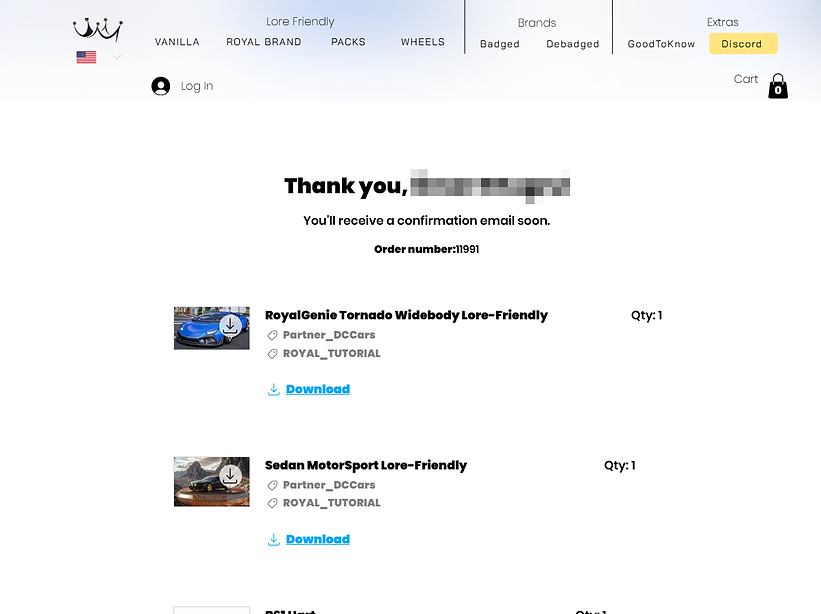
Locate and copy your order number
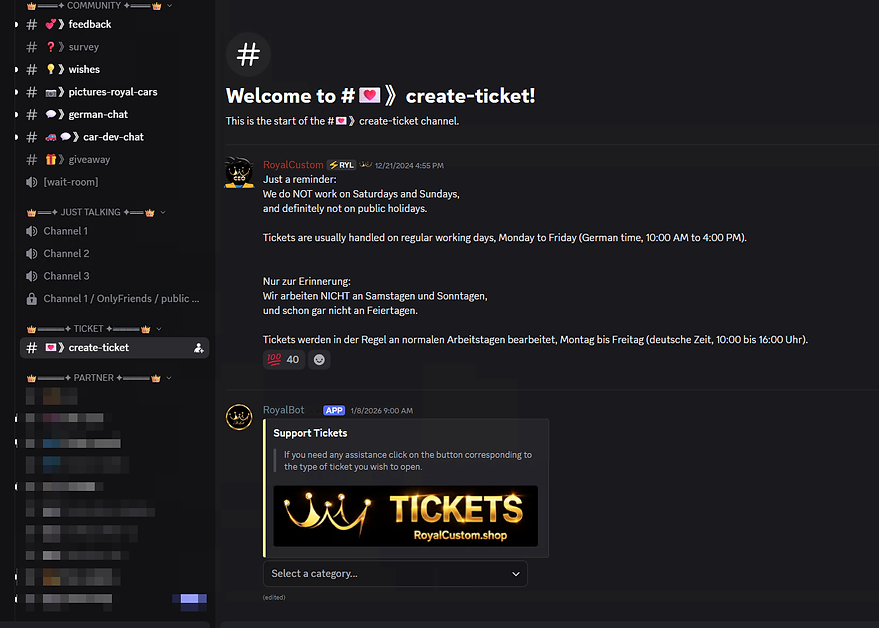
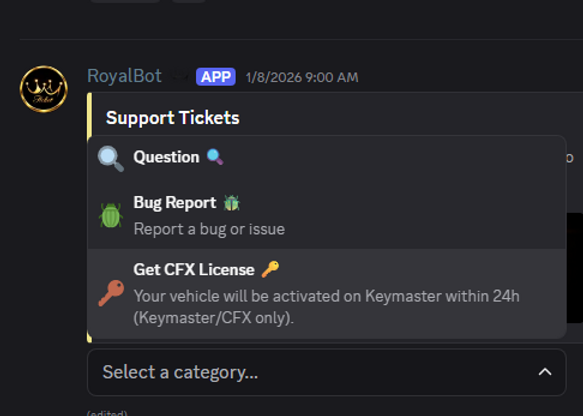
Step 3
Enter the following command:
/verify EMAIL ORDER_NUMBER
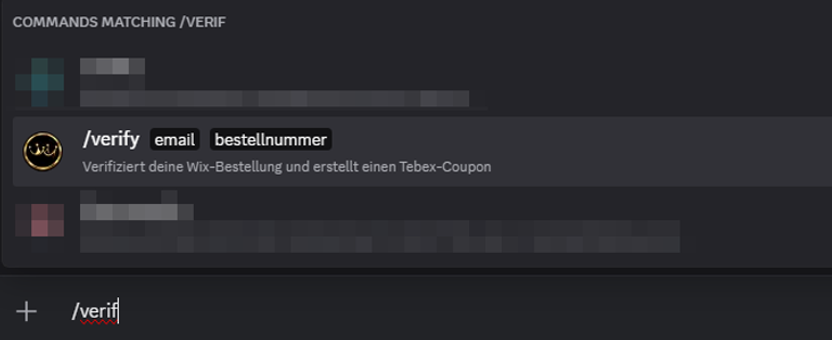
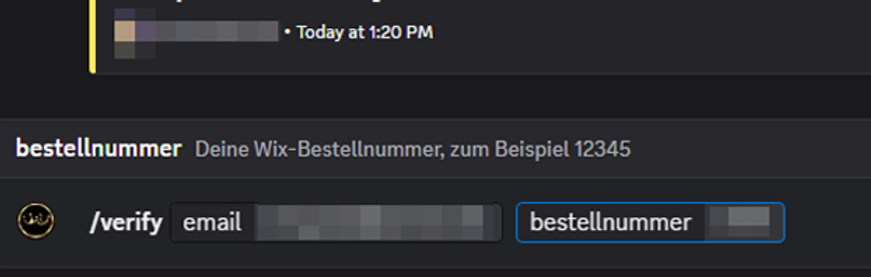
Step 4
All orders associated with this email address and order number will be displayed below.
Copy your coupon code.
Attention: This coupon can only be redeemed once and is valid for 7 days.
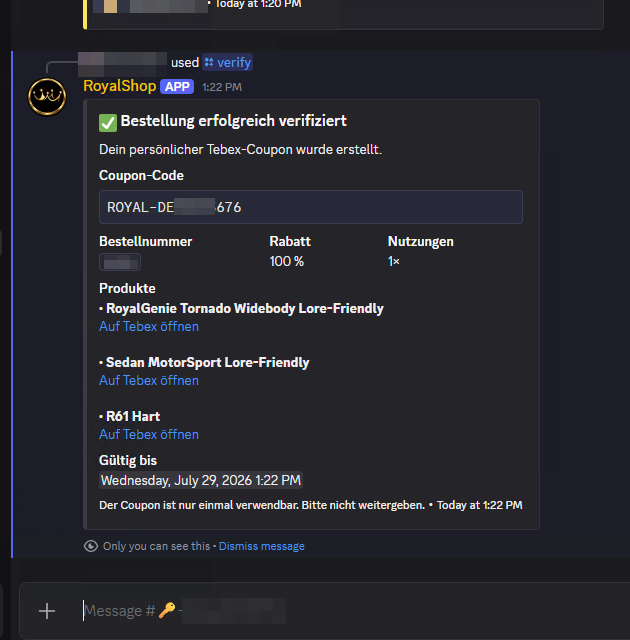
Step 5
Open each link and click on "Purchase" after logging in to Tebex.
⚠️ Make sure you are on our official Tebex store:
https://royalcustom-store.tebex.io/category/royalshop
You can also access the correct product links directly from your Discord ticket.
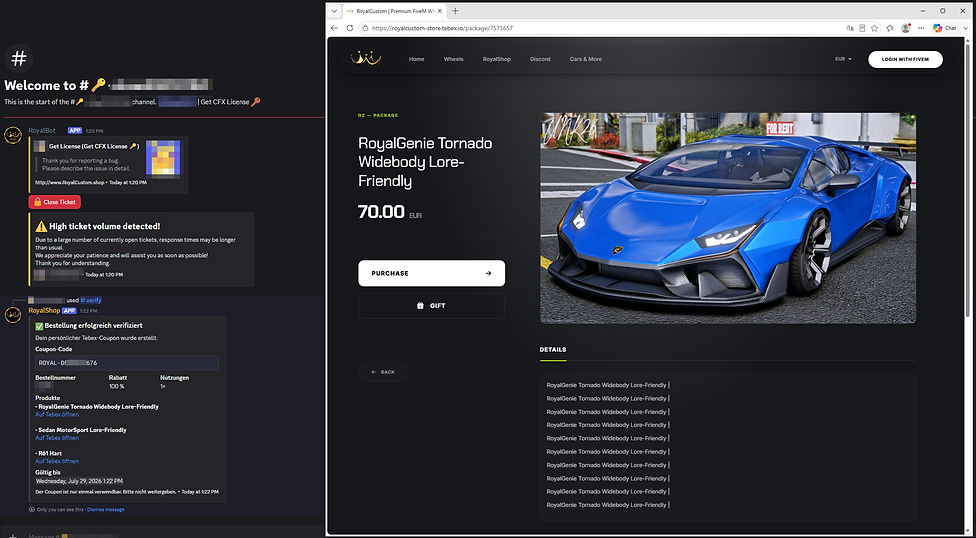
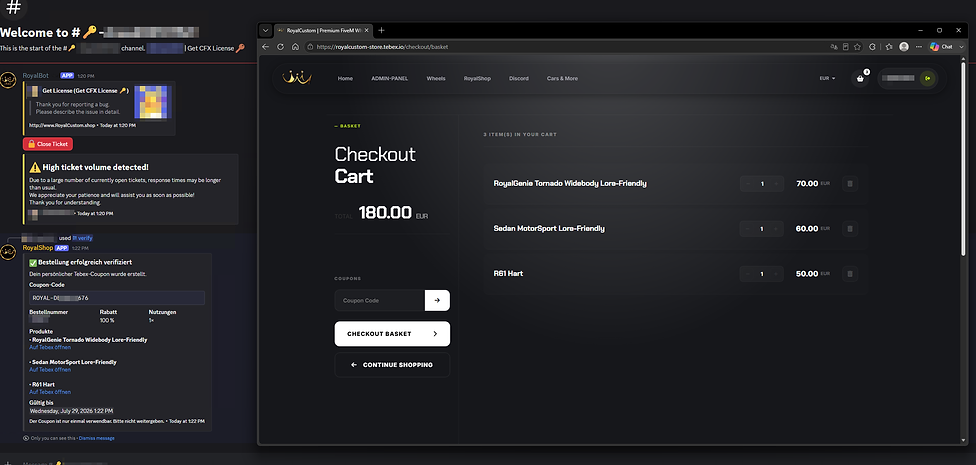
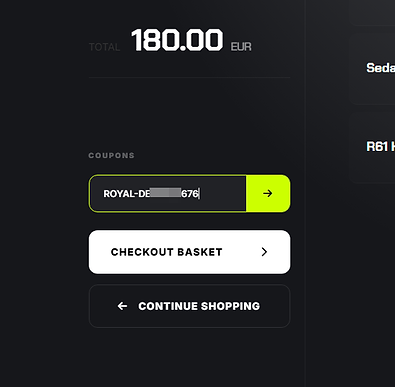
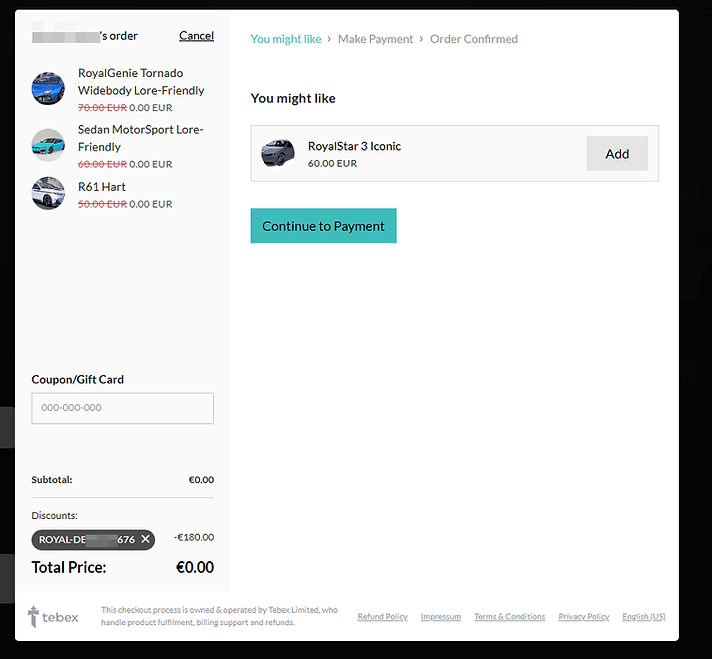
Then, enter your coupon code into the designated field.
Make sure all of your purchased products are displayed on the right-hand side.
Step 6
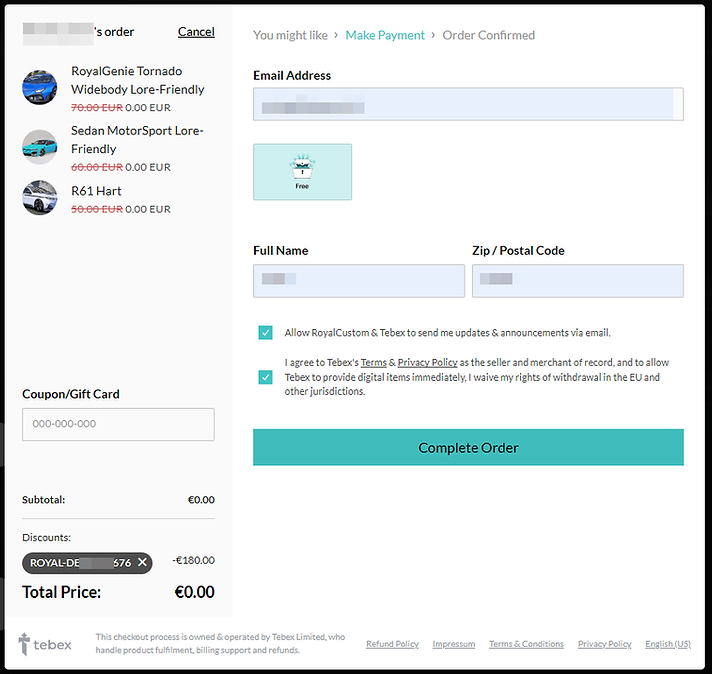
Make sure the total checkout price has been reduced to €0.00 before completing your purchase.
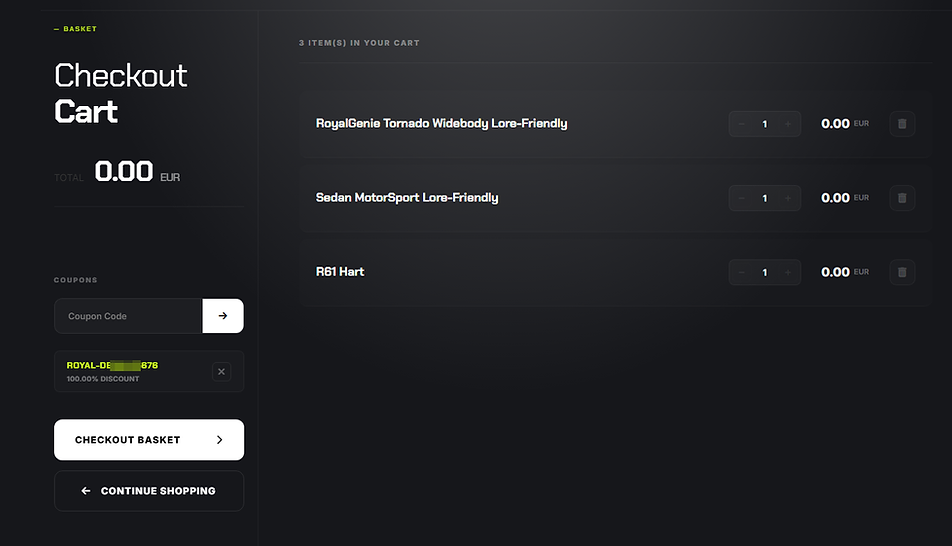
Complete the purchase as you normally would on Tebex. Your coupon will reduce the total to free.
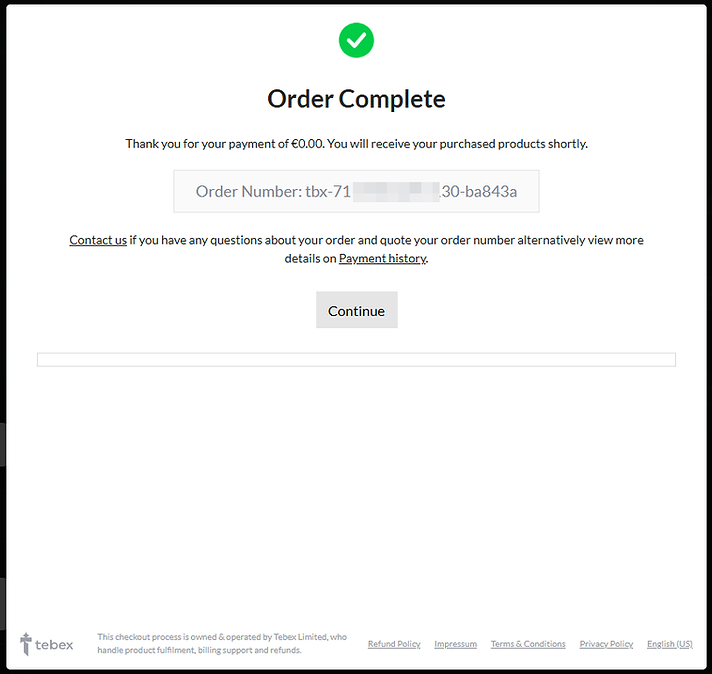
Step 7 - DONE
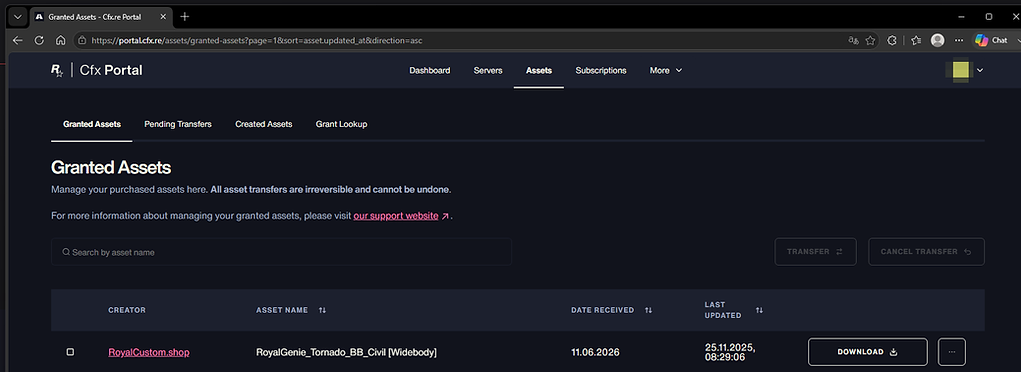
Congratulations! Your CFX assets have been successfully added to your CFX Portal.